Understanding broadband speeds

Let's start by busting the jargon. Broadband language talks in Mbps and Gbps, but what do they actually mean for your everyday internet experience?

What do Mbps and Gbps mean?

Mbps stands for Megabits per second, while Gbps stands for Gigabits per second.


Imagine ordering pizza for your household.

  • A 12” works fine if only one or two people are eating
  • A 22” feeds more people at the same time
  • In broadband terms, more Mbps means more capacity for everyone online
  • 1 Gbps equals 1,000 Mbps

But even the biggest pizza won't keep everyone happy if it gets gobbled before reaching everybody’s room. That's why great Wi-Fi coverage is every bit as important as broadband speed.


For example:

  • Browsing websites: around 1-5 Mbps
  • HD streaming: around 5 Mbps per stream
  • 4K streaming: around 25 Mbps per stream
  • Online gaming: speed matters, but stability matters even more

Advertised vs. actual speeds

Broadband speeds are usually advertised as average speeds available to at least 50% of customers at peak times.


The speed you experience can vary depending on:

  • Your location
  • Network conditions
  • Device capability
  • Home Wi-Fi setup
  • Number of connected devices

That's why two households with the same broadband package can have completely different experiences.

TalkTalk tip

Faster broadband doesn't automatically mean better Wi-Fi. If your connection struggles in one room but flies in another, coverage could be the real issue.

What's a good internet speed for your household?

The truth? There's no universal answer.

Speed recommendations by household size & usage

A good internet speed depends on how many people live in your home, what they're doing online and where they're doing it. We can, however, give you some rough guidance.

Here’s a starter for ten:

Recommended Speed Guide by Household

Household Type Recommended Speed
1-2 people browsing, shopping and social media 35-65 Mbps
Small households streaming HD content 65-150 Mbps
Families with multiple streamers and gamers 150-500 Mbps
Heavy-use homes with lots of connected devices 300 Mbps+
Gaming households with multiple users 500-900 Mbps

content image

Remember...

It's not just about the headline speed. A family streaming Netflix upstairs, gaming in a bedroom and joining video calls in the kitchen needs strong Wi-Fi coverage throughout the home too.

The TalkTalk Full Fibre advantage

Full Fibre broadband is our most reliable ever and brings fibre all the way into your home, delivering more dependable, faster speeds than traditional broadband technology.


Benefits include:

  • Speeds up to 900 Mbps
  • Better performance during busy periods
  • Support for multiple connected devices
  • Smooth streaming, gaming and video calling
  • More capacity for smart homes and future tech

Discover Full Fibre
content image

Broadband speed by activity

Some online activities barely break a sweat. Others can put serious demands on your connection. Here's what to aim for.

Speed for browsing and social media

Browsing websites, shopping online, checking emails and social scrolling typically require very little bandwidth.


Recommended speed: 10 Mbps+
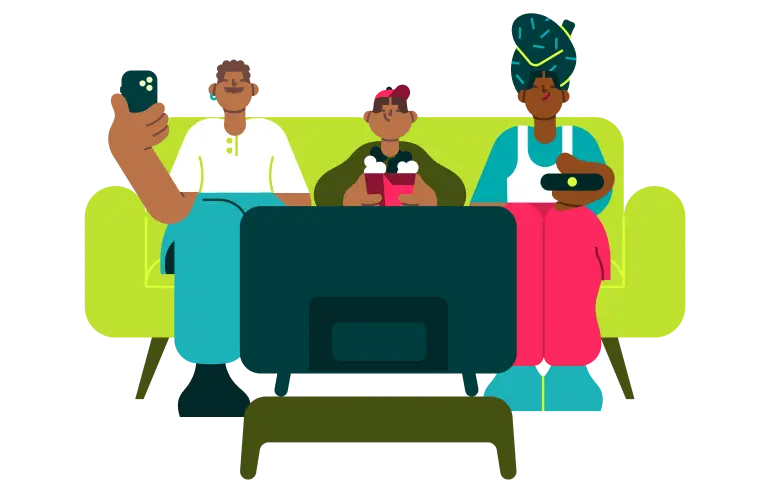
Speed for streaming (SD, HD, 4K)

  • Standard Definition: 3 Mbps+
  • HD streaming: 5 Mbps+ per stream
  • 4K Ultra HD: 25 Mbps+ per stream

Multiple people streaming at once? Those requirements quickly add up.

Speed for online gaming

Contrary to popular belief, gaming doesn't always require huge speeds. What gamers really need:

  • Low latency
  • Stable connections
  • Reliable Wi-Fi coverage

Recommended speed: 25-100 Mbps+

Speed for home working and learning

Large file transfers, cloud storage, collaborative tools and file uploads all place demands on your connection.


Recommended speed: 50 Mbps+


For multiple users a faster connection may be beneficial.

Speed for video calls

Loved ones in far flung regions? Calendar full of calls? For smooth FaceTime or Teams calls:

  • HD video calls: 3-8 Mbps
  • Multiple simultaneous calls: 25 Mbps+

Strong Wi-Fi coverage often matters more than speed.

Top tip for gamers

Large game downloads and updates may benefit from faster packages. Need to know more about gaming speeds?

It's need, not speed

Here's the part many broadband guides miss. Speed is only useful if it can actually reach you.


You could have 900 Mbps entering your home, but if the signal can't reach the spare bedroom or loft conversion, you're not getting the experience you paid for.


That's why coverage is king and speed isn't always the answer.


But many issues are actually caused by:

  • Weak Wi-Fi coverage
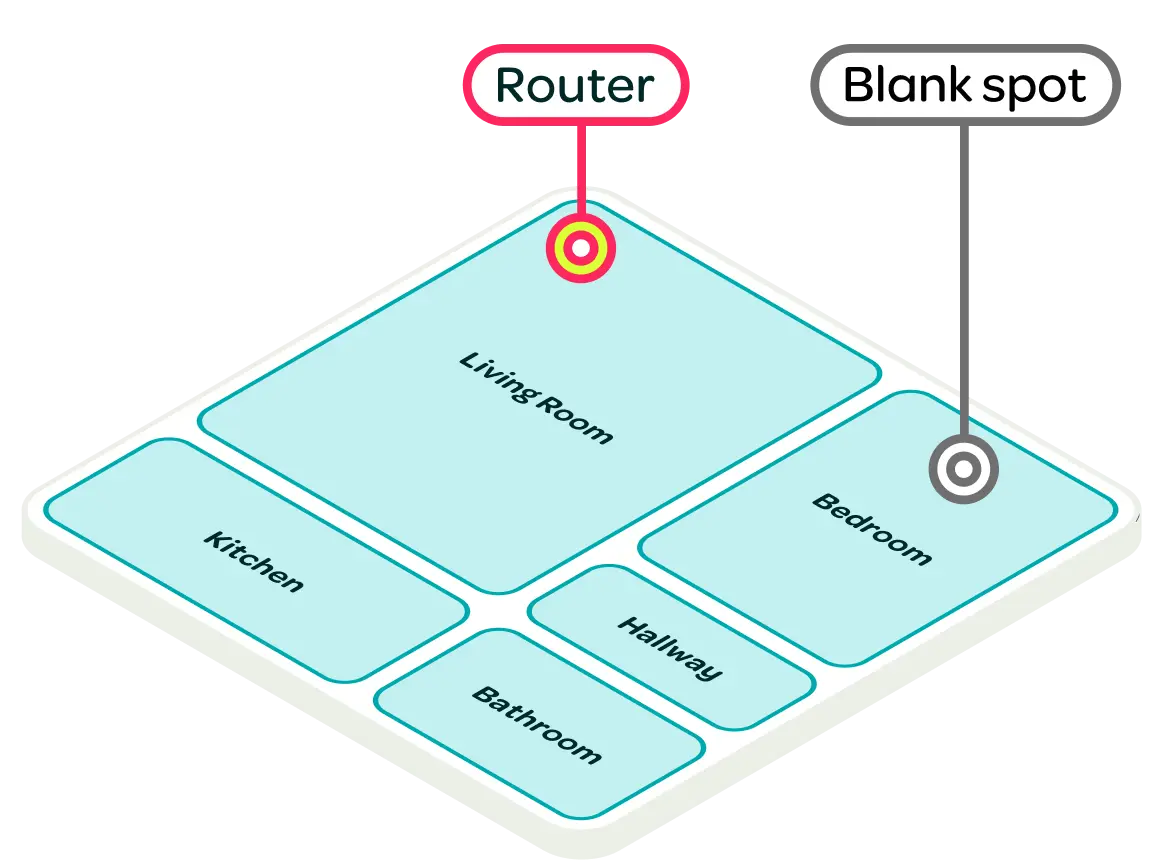
  • Poor router placement
  • Signal interference
  • Home layouts that block wireless signals
  • Connected devices competing for bandwidth

But we’re not just shouting this from our soapbox. We’re ready to talk the talk, too (geddit?).
TalkTalk U is a smarter way to Wi-Fi

Rather than simply chasing bigger speed numbers, TalkTalk U uses insights about your home and usage to help create the right Wi-Fi setup for your needs.


Key benefits include:

  • Intuitive speeds from 65 Mbps to 900 Mbps
  • Smarter Wi-Fi setup
  • Expert help with the Wi-Fi Assist App
  • Better whole-home coverage
  • Recommendations based on how you actually use Wi-Fi

Because broadband isn't about speed tests. It's about getting reliable Wi-Fi wherever life happens.

Find out more
TalkTalk U means whole home coverage and adaptive speed based on your needs.

TalkTalk broadband packages

From everyday browsing to ultra-connected homes, there's a TalkTalk package designed around your needs.

Compare Deals

Check speeds in your area

Broadband availability varies by location, so it's worth checking what's available at your address.

Check availability

Test your speed

Not sure whether your current package is keeping up? Run a speed test to see how your connection is performing.

Test my speed

Why does broadband speed vary?

Internet speed isn't fixed. It can vary throughout the day depending on several factors. We’ve cobbled together some troubleshooting tips for you.

Common causes of slow Wi-Fi

  • Router located in a corner of the home
  • Thick walls and multiple floors
  • Too many connected devices
  • Device limitations
  • Signal interference from other electronics

content image

Improving your home Wi-Fi signal

  • Move your router to a central location
  • Keep it off the floor
  • Reduce interference from electronics
  • Use an ethernet cable where possible
  • Consider a mesh or coverage solution
  • Explore TalkTalk U for smarter Wi-Fi support

Why internet can slow in the evenings

Evening is often when households are busiest online. More devices, more streaming and more activity can affect how your connection feels, particularly on older broadband technologies like part-fibre or Fast broadband.

content image

TalkTalk Tip

If everything feels slow everywhere, you may need more speed. If it only feels slow in specific rooms, you probably need better coverage.

TalkTalk U

Game-changing plan that’s about need, not speed. Get the perfect Wi-Fi coverage for your home.
Discover TalkTalk U

Full Fibre broadband

Take your broadband further. Connect up to 128 devices for smooth browsing, streaming and downloading on speeds up to 900 Mbps.
Discover full fibre

Compare deals

Want to take your package to the next level? We hear that. We’ve made it easier to view all the options available to you.
Compare deals

Broadband speed test

Put your broadband to the test. Check your download and upload speeds in seconds and get a clearer picture of your connection's performance.
Test speed
Availability subject to location