Move your router
Keep it in a central, elevated location away from thick walls and electrical devices.
No, broadband and Wi‑Fi are not the same thing.
Imagine broadband is your ‘big’ shop being delivered to your door. Wi‑Fi is the person carrying the bags in and putting everything where it needs to go. If the delivery turns up late, that's a broadband issue. If someone can't find the biscuits, that's a Wi‑Fi issue.
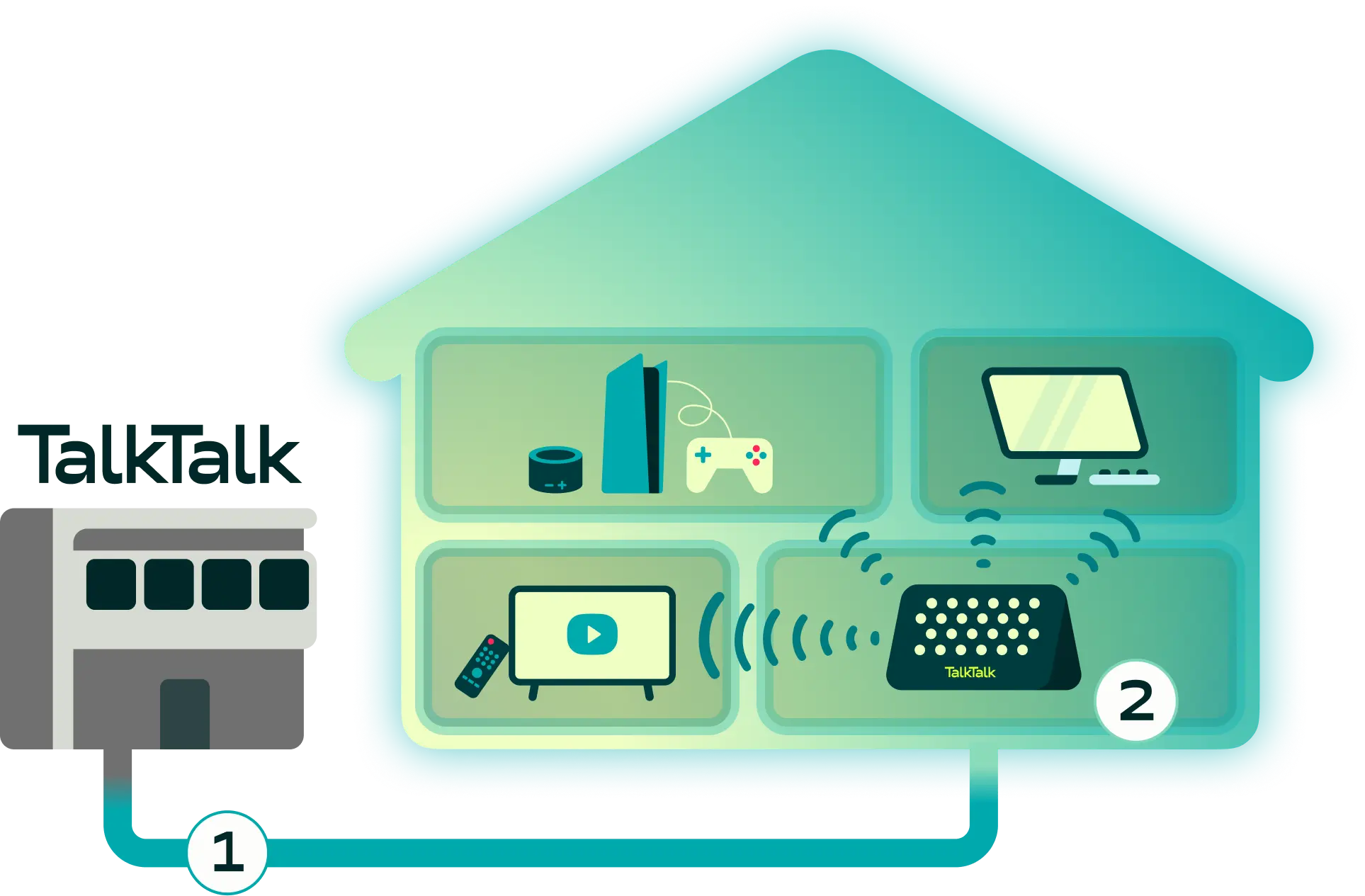
Broadband is the connection that brings the internet into your home. When you buy broadband from a provider like TalkTalk, you're paying for an internet connection delivered through infrastructure such as full fibre (FTTP) or part‑fibre (FTTC) networks. That connection enters your property and provides the internet access your household uses every day.
Broadband determines the maximum speed available to your home. Whether you're streaming boxsets, scrolling social media or joining video calls, broadband is the foundation that powers your online experience.
What broadband does:
Wi‑Fi is the wireless technology that distributes your broadband connection around your home. Your router takes the broadband connection entering your property and turns it into a wireless signal. Devices like phones, laptops, smart TVs and gaming consoles then connect to that signal.
In other words, Wi‑Fi helps your devices access broadband without needing physical cables.
What Wi‑Fi does:
Just because your broadband speed is fast doesn't automatically mean your Wi‑Fi performance will be too. The signal still needs to reach every corner of your home.
Broadband and Wi‑Fi work together, but they do completely different jobs.
| Feature | Broadband | Wi-Fi |
|---|---|---|
| Purpose | Brings internet into your home | Shares internet around your home |
| Delivered by | Your broadband provider | Your router |
| Multiple users | Good | Excellent |
| Travels through | Fibre or phone lines | Radio waves |
| Location | Outside and into your property | Inside your property |
| Affected by | Network technology and package speed | Walls, distance, interference and layout |
| Upgrade options | Faster broadband package | Better router, boosters or mesh network |
Understanding the difference between broadband and Wi‑Fi can save a lot of frustration when things feel slow. Many people assume slow internet means they need a faster package. Sometimes that's true. But often, the broadband connection is performing perfectly while the Wi‑Fi signal struggles to reach certain rooms.
If your internet feels slow, start by identifying where the issue really is.
Signs your broadband may be the problem:
Signs your Wi‑Fi may be the problem:
Knowing the difference can help you find the right fix rather than paying for speed you don't actually need.
Sometimes better internet isn't about getting faster broadband. It's about getting better coverage.
That's exactly why we created TalkTalk U.
Rather than simply recommending higher speeds, TalkTalk U uses data about your home to build a personalised plan designed around how you live, work, stream and connect. It focuses on achieving the right coverage in the right places, helping tackle frustrating blank spots and patchy performance.
Because when it comes to home Wi‑Fi, it’s about need, not speed.
Keep it in a central, elevated location away from thick walls and electrical devices.
Mesh systems and Wi‑Fi boosters can help spread signal more evenly around larger homes.
Ethernet cables offer a wired connection and greater stability for gaming, streaming and home working.
If your household regularly pushes its broadband limits, a faster Full Fibre package could unlock better performance.